GitHub Copilot
GitHub Copilot supports custom third-party model providers via an OpenAI-compatible API. You can point it at CompactifAI to make your compressed models available directly inside your IDE’s Copilot chat and agent workflows.
You need a CompactifAI API key, a GitHub organization with Copilot enabled, and Owner (or administrator) access to that organization.
1. Open your organization’s Copilot model settings
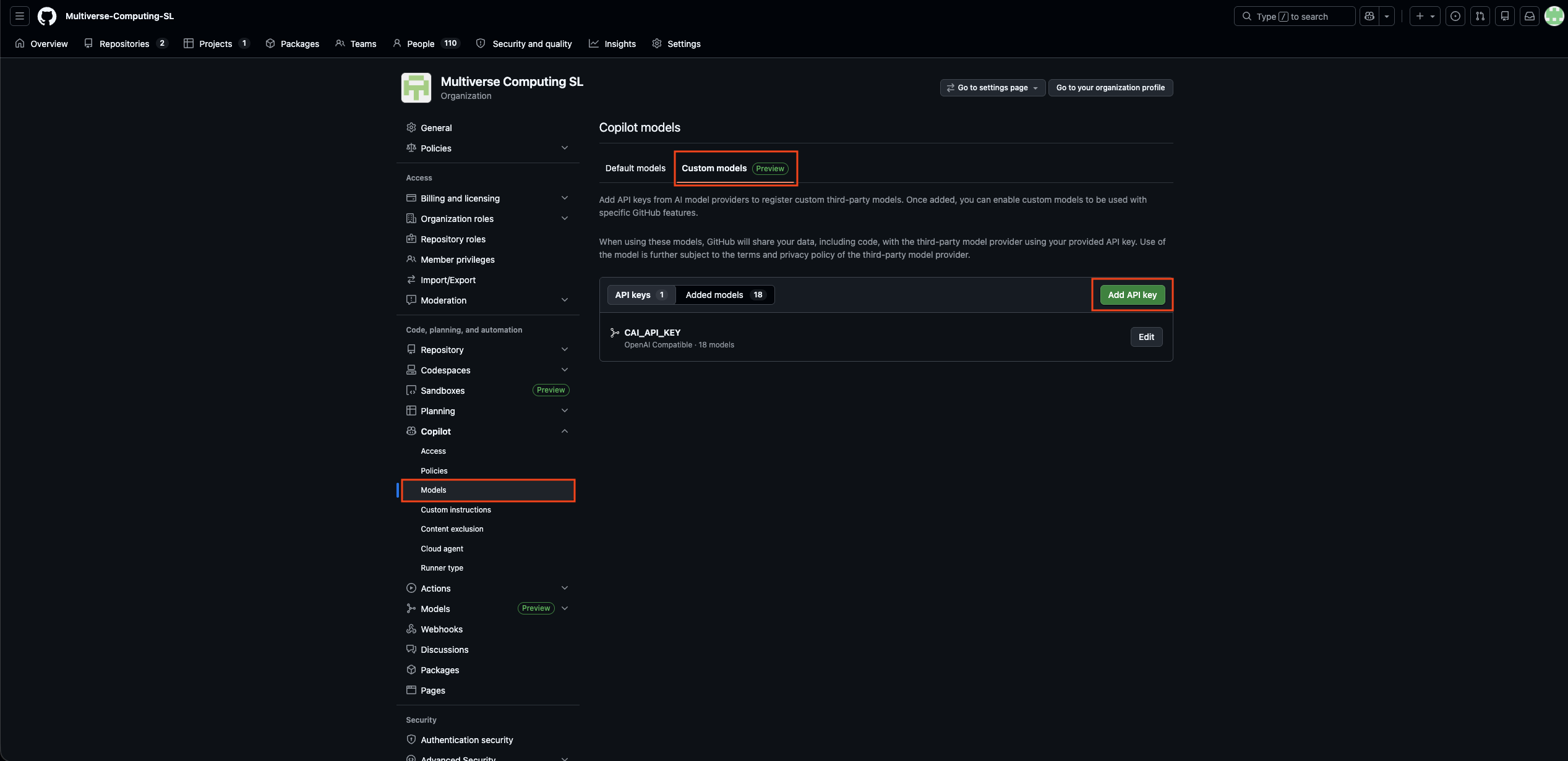
Section titled “1. Open your organization’s Copilot model settings”Go to your GitHub organization page, click Settings, then under Code, planning and automation select Copilot → Models.
2. Add an API key
Section titled “2. Add an API key”Click the Custom models tab, then click Add API key.
3. Configure the CompactifAI provider
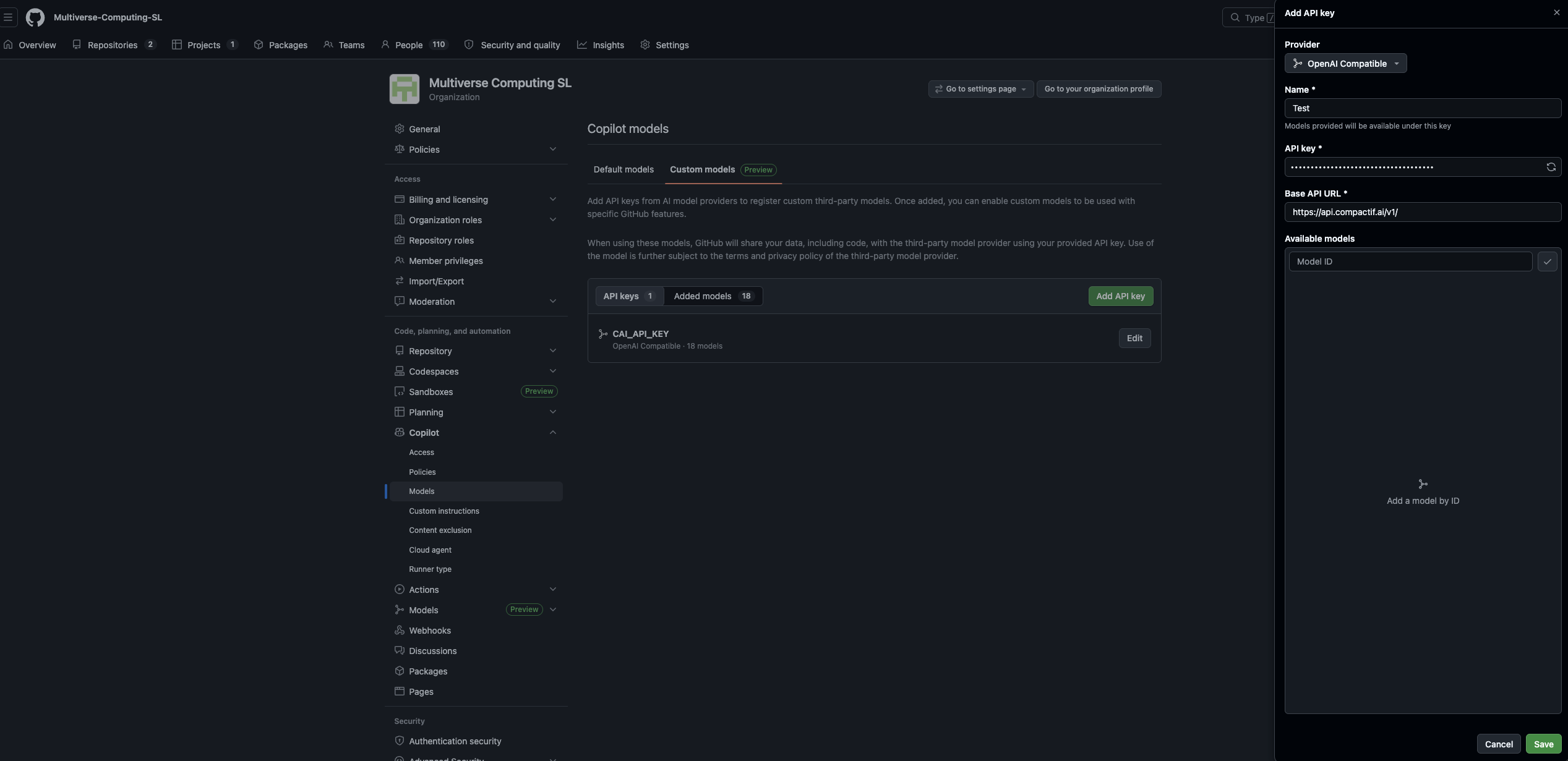
Section titled “3. Configure the CompactifAI provider”In the Add API key panel that slides open:
- Provider – select OpenAI Compatible
- Name – enter any label you like (e.g.
CompactifAI) - API Key – paste your CompactifAI API key
- Base API URL – set to
https://api.compactif.ai/v1/
4. Select models to expose to your organization
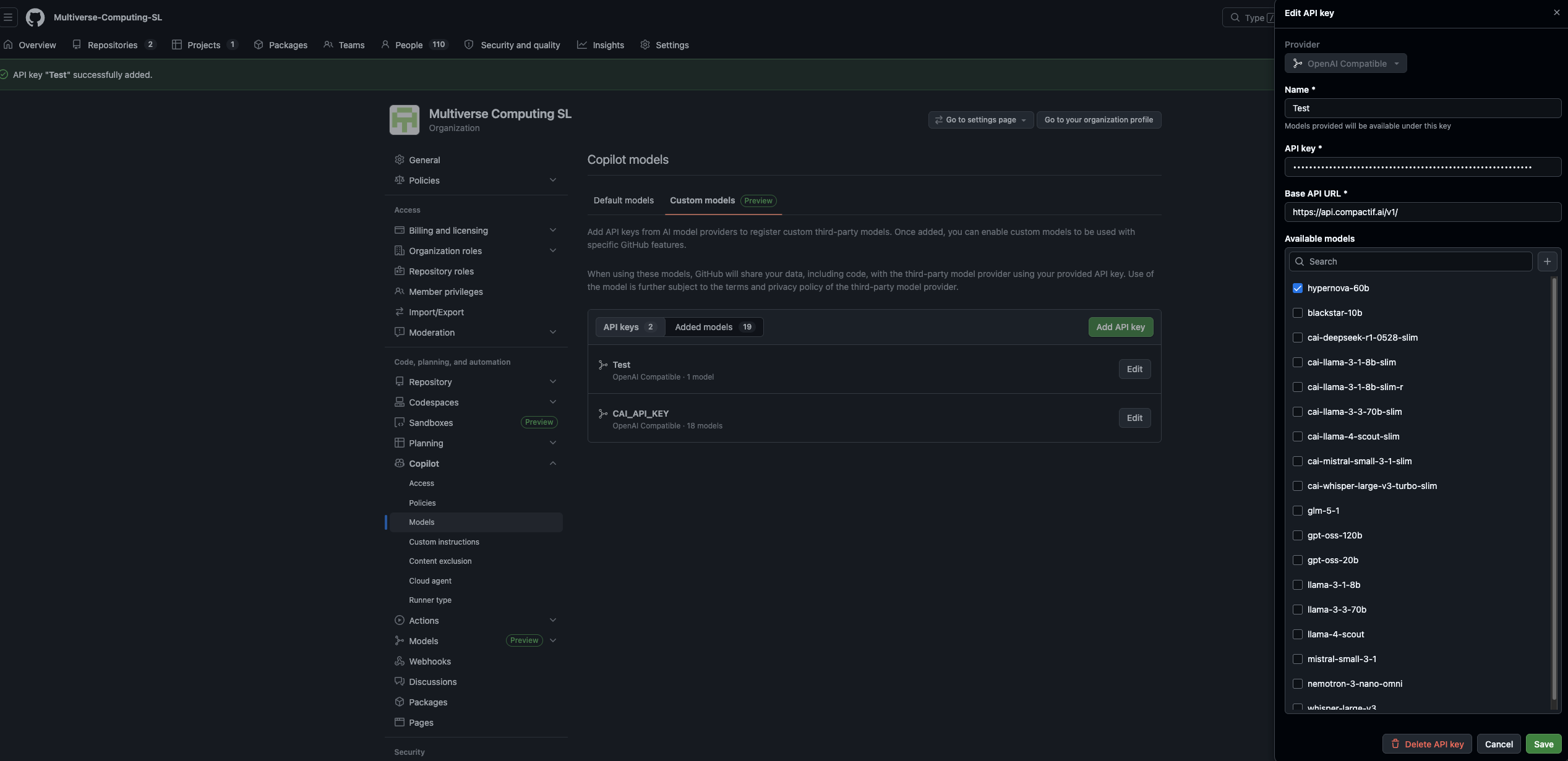
Section titled “4. Select models to expose to your organization”Once the key is saved, click Edit on your new API key entry. The full list of available CompactifAI models will appear. Check each model you want to make accessible to your organization and click Save.
5. Configure each model’s capabilities
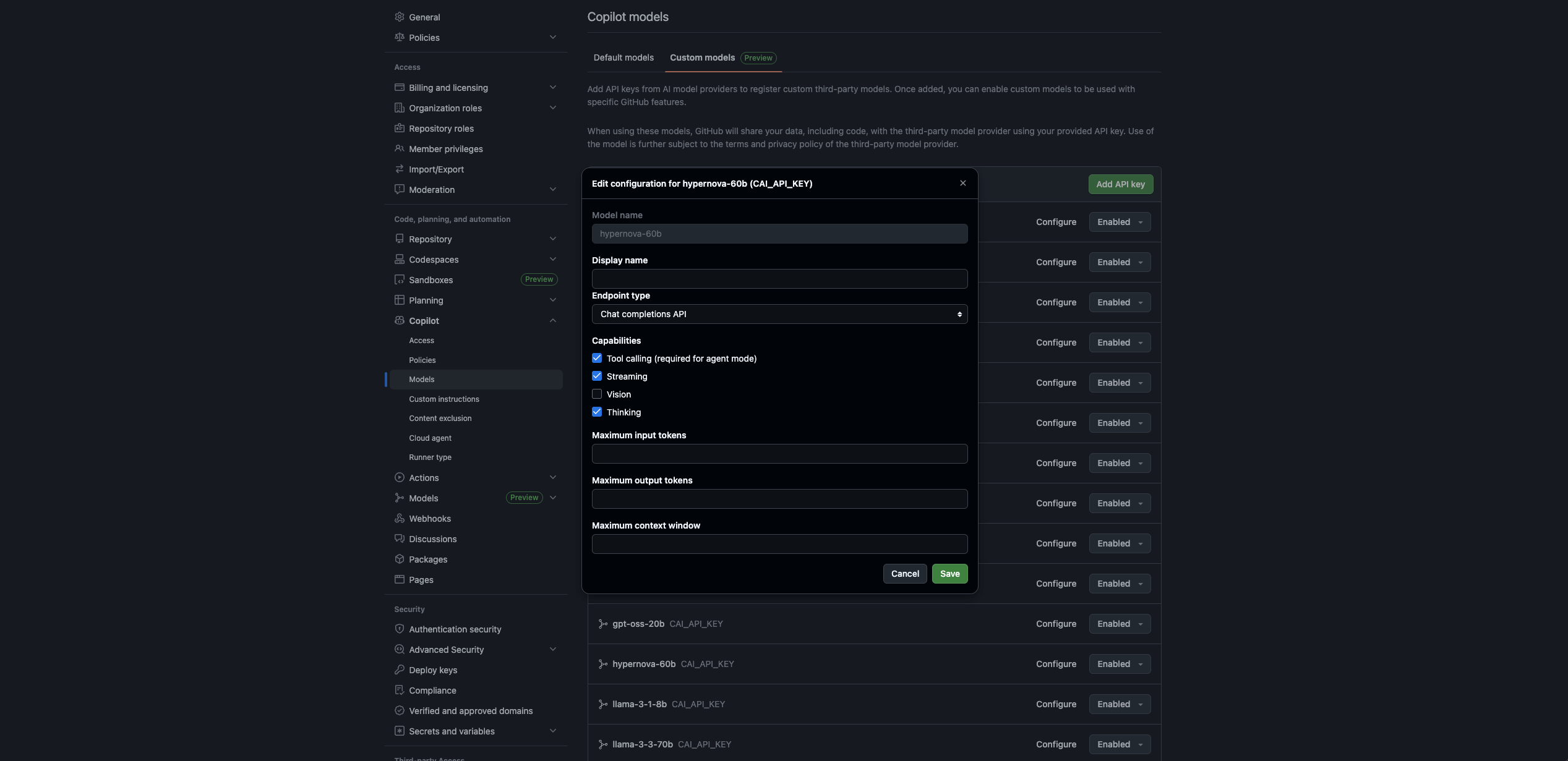
Section titled “5. Configure each model’s capabilities”Go to the Added models tab. Click Configure next to each model you enabled.
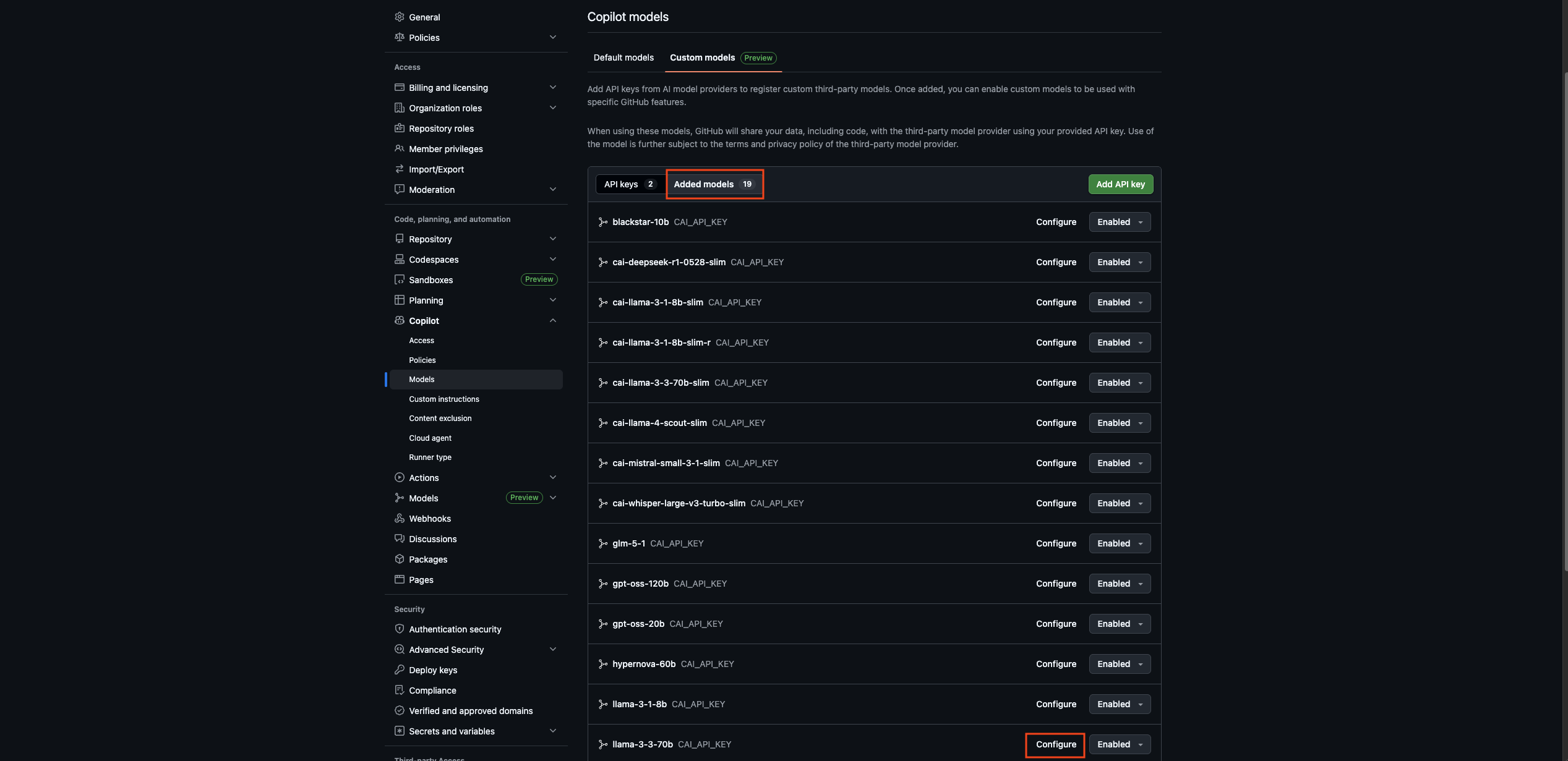
In the configuration dialog you can set:
- Capabilities – enable Tool calling (required for agent mode), Streaming, Vision, and Thinking as appropriate for the model
- Minimum / Maximum input and output tokens
- Maximum context window
Repeat this for every model you want to use, then click Save.
6. Use the model in your IDE
Section titled “6. Use the model in your IDE”The configured models now appear in Copilot inside your IDE of choice. Open Copilot Chat, select a CompactifAI model from the model picker, and start prompting.
For request and response fields, see Chat Completion and the API reference.